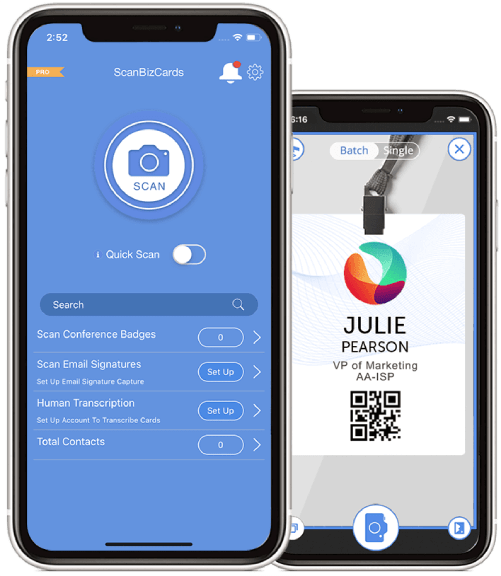
Scanning is Only The Beginning
ScanBizCards has such a long list of features that it’s not easy to discover them all! So here is the complete up-to-date list. Truth is we feel ScanBizCards is much (much) more than a “card scanner”. Other card scanning apps cover just 2 or 3 of the 27 features below: scanning a card image for text, then adding to the address book. This is it – most scanning apps actually discard the card image once it has been added to the address book. We could not disagree more. Make sure to read about the Web Sync feature at the end of the list: it dramatically expands the ways you can manage and use your cards and extends your access to them beyond your iPhone.
Scanning
Taking good images is very important for getting good results and it’s all up to you! read more
Take new photo or import existing photos
Your choice: snap photos within the app or import existing photos, possibly taken with another camera. read more
Double-Sided Card Support
Many cards have information on the back side or just an elegant graphic art or notes you took - capture both sides with ScanBizCards! No back side? Use it to attach a photo of the person ... read more
Cropping
Cropping helps reduce scanning to the relevant text and eliminates background around the card for aesthetic considerations. read more
Automatic text orientation detection
ScanBizCards automatically detects text orientation. A manual rotate button is also available but rarely needed! read more
Edit Text Side-by-Side with Image
When corrections are needed, text items are conveniently shown right next to the zoomed-in portion of the image. read more
Custom Fields
User-defined data fields can be added to any card - before, after or even instead of scanning! read more
Notes
Adding notes to a card is easy - before or after scanning. read more
Adding to the Address Book
As easy as touching "Add to Address Book after scanning. New contacts are added to the iPhone address book and iCal / Outlook on desktop when syncing via iTunes. read more
Managing Cards not in Address Book
We get it that not every card belongs in the address book - keeping some cards only within ScanBizCards makes perfect sense! Organize them, search them and act on them right from within the app. read more
Address Book Groups
Contacts can be assigned to iPhone address book groups – mapped to Outlook groups or Mac address book categories via iTunes sync. read more
Quick Intro email
Cement new relationships at the speed of touch: optionally email your own VCard to newly scanned contacts. read more
Touch & Go - Active Canvas
A card turns into an “Active Canvas”! Actionable items such as phone numbers, email addresses and URLs are marked in color on the card and touching them calls, sends a SMS message, email or browses a web site. read more
Calendar Reminders
Never again forget to follow up with new contacts: add a calendar reminder to follow-up, synced with iPhone, Outlook and iCal / Google Calendars. read more
3D Cover Flow
Flip through your cards visually, in 3D "cover flow" view much like iTunes albums. read more
Send to Friend
Got a new card? One touch and your colleagues can get a copy - text, image and VCard. read more
Connect on LinkedIn
An absolute favorite with everyone who is using LinkedIn! One touch and you can fire up an invitation to the new contact to join your LinkedIn network – without leaving the app. read more
Digital Rolodex
All cards are stored within the app, organized in folders, always accessible to search or scroll in list view or 3D "cover flow". read more
Adjusting Card Images
We know aesthetics matter … Card images often include background material you really don’t need to see. Just touch the crop button before or any time after scanning. read more
Custom Folders
Store cards in related groups such as investors, friend or customers or by events where you got the cards. read more
Search
Just type any text string and it returns the list of all cards containing this text in any field (including notes). read more
Export to Excel
Essential for sales professionals: export some/all cards to an Excel CSV for additional work at the office or for importing into CRM applications. read more
Web Sync
Never lose a card again! Web Sync automatically uploads new cards to the cloud where you can access all your cards any time, from any browser. read more
Putting Cards on the Map
You worked hard to scan all your cards - now sit back an enjoy watching a World map with pins where you've got cards! read more
Skype integration
Call contacts from your iPad or iPod Touch! Just touch a phone number on a card and you can place a cal or send a SMS message on your iPad (requires SkyPE installation). read more
Evernote Integration
ScanBizCards is fully integrated with Evernote: import images from Evernote or export ScanBizCards cards to Evernote. read more
Import from Clipboard (email signatures)
ScanBizCards is not just about cards ... copy an email signature to the clipboard, touch "Import from Clipboard" - you've got a new address book contact! read more